How to Configure Multi-Level IO-Link Expansion: Master, HUB and Point Mapping in Siemens TIA Portal
Multi-level IO-Link expansion in Siemens TIA Portal involves adding the IO-Link master, establishing a PROFINET connection, cascading IO-Link HUBs, assigning addresses, and mapping variables. Online monitoring can then be used to view expanded I/O points, device status, and diagnostic information.
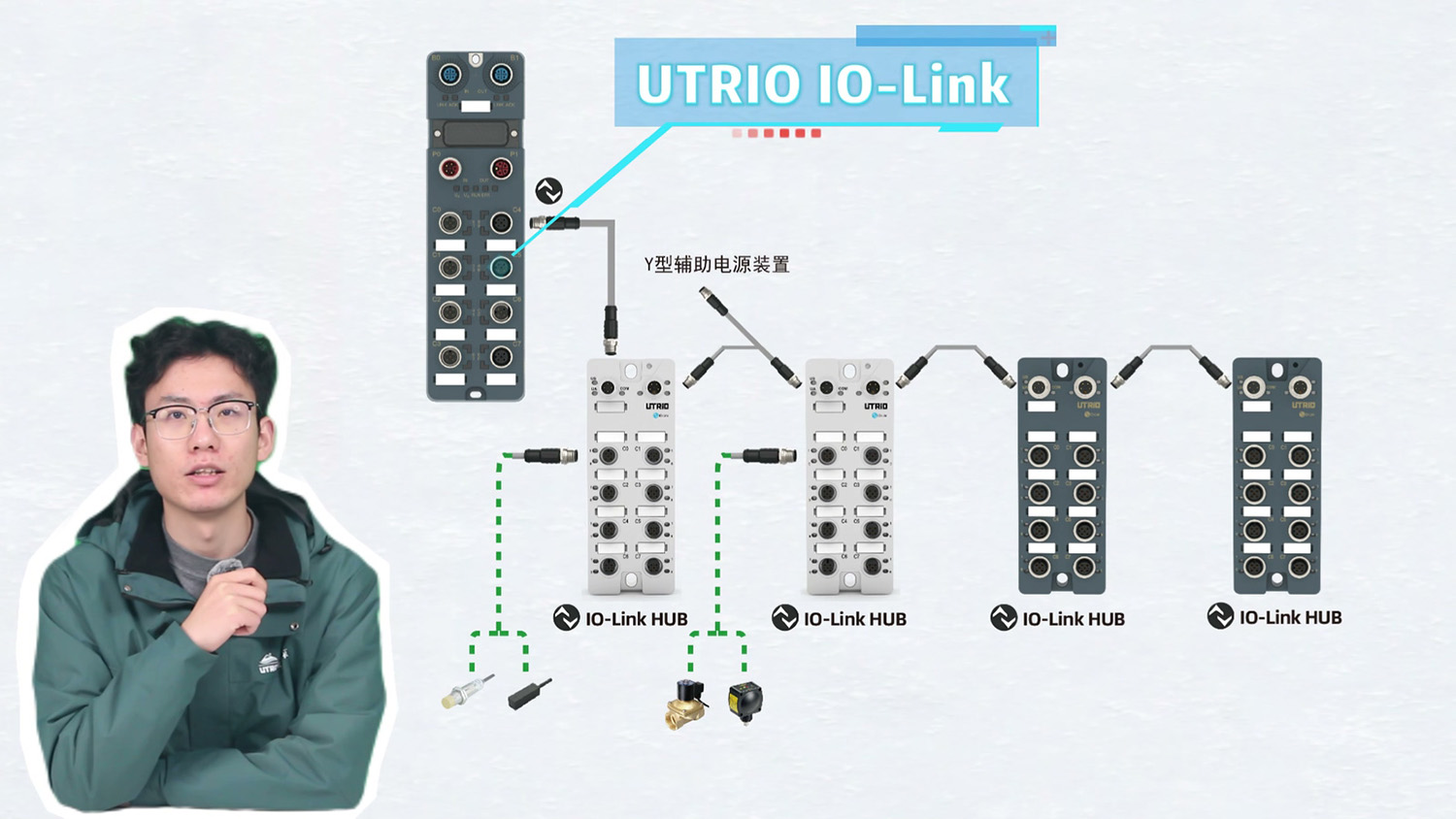
Add the Master and Connect the Network
First, add the IO-Link master to the Siemens TIA Portal project and connect it to the PROFINET network. Then configure the device name and IP address, and verify that the master is online.
Cascade and Configure IO-Link HUBs
Once the master is online, add the downstream IO-Link HUBs according to the actual field cascading structure and configure them in the software to match the physical connections.
The multi-level connection diagram also illustrates a Y-type auxiliary power supply device and the connections to downstream field devices, helping clarify the relationships between the master, HUBs, and field equipment.
Address Assignment and Variable Mapping
After configuring the HUBs, assign addresses, configure I/O points, and map variables so that data from the expanded devices can be integrated into the control system.
Once configuration is complete, online monitoring allows users to view expanded I/O points, device status, and diagnostic information, making it easier to understand system operation.
The overall process of multi-level IO-Link expansion is straightforward: add the master, connect the HUBs, configure the I/O points, and complete variable mapping. Following these steps helps simplify multi-level device expansion and system configuration.
ULO GROUP continues to advance industrial connectivity and automation with practical industrial communication solutions and technical support, making industrial connectivity simpler and system expansion more flexible.
— ULO GROUP